
Russia



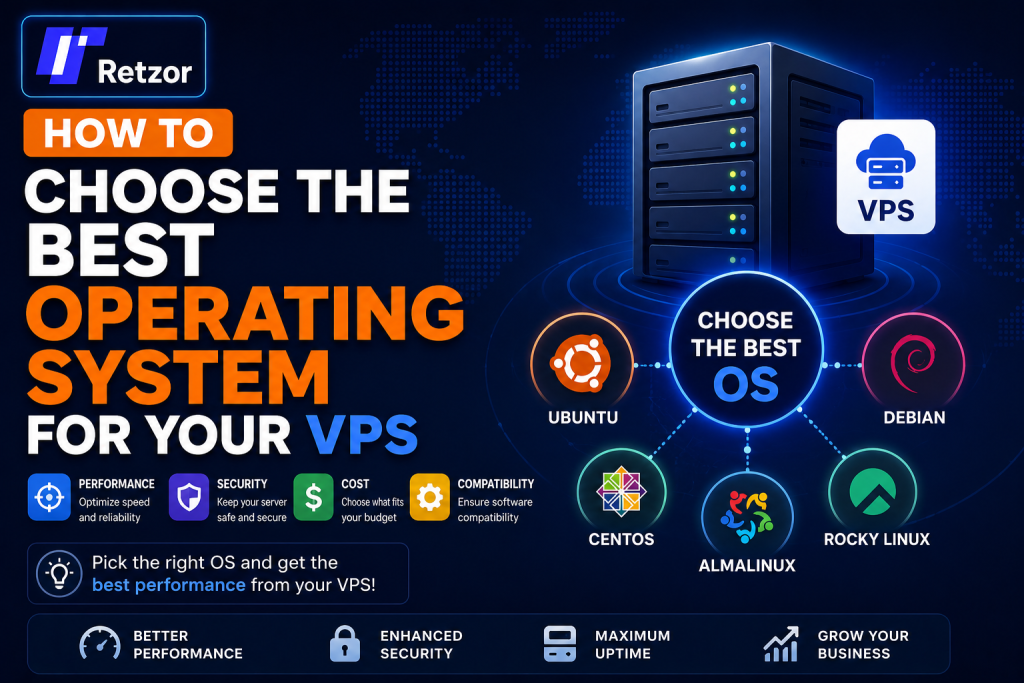
How to Choose the Best Operating System for Your VPS
A complete beginner-friendly guide explaining how to choose the right operating system for your virtual private server and how your OS affects performance, security, compatibility, stability, and server management.
by Hamza
Why Your VPS Operating System Matters
Choosing the right operating system for your VPS is one of the most important decisions you will make when setting up a server. Your operating system controls how the server behaves, how applications run, how resources are managed, and how secure your environment will be.
Whether you are websites hosting, running game servers, deploying applications, creating VPN services, managing databases, or using remote desktop software, your operating system directly affects the overall performance and reliability of your VPS.
Many beginners choose an operating system without understanding the long-term impact it can have on server management, compatibility, and maintenance. A poor OS choice can lead to higher resource usage, software limitations, or unnecessary complexity.
If you are looking for reliable VPS hosting with multiple Linux and Windows operating systems available, try our VPS solutions at Retzor for high performance and flexible server deployment.
Quick VPS OS Selection Guide
- Linux is the most popular and lightweight VPS operating system.
- Windows VPS is ideal for Microsoft applications and remote desktop environments.
- Ubuntu is recommended for beginners because of its simplicity and large community.
- Your operating system affects performance, security, compatibility, and resource usage.
- Choose your OS based on your project requirements and technical experience.
What Is a VPS Operating System?
A VPS operating system is the software environment installed on your virtual private server that manages all server operations. It acts as the bridge between your hardware resources and the applications you install.
The operating system controls:
- CPU allocation
- RAM management
- Storage handling
- Networking and firewall configuration
- User permissions
- Security updates
- Software installations
- Background services
The two main categories of VPS operating systems are Linux-based systems and Windows Server systems.
Linux vs. Windows VPS
Before choosing an operating system, it is important to understand the main differences between Linux and Windows VPS environments.
| Feature | Linux VPS | Windows VPS |
|---|---|---|
| Price | Usually cheaper | More expensive due to licensing |
| Performance | Lightweight and efficient | Uses more RAM and CPU |
| Ease of Use | Terminal and SSH based | Graphical interface available |
| Security | Strong reputation for security | Secure but more frequently targeted |
| Best For | Web hosting, Docker, VPNs | ASP.NET, MSSQL, RDP |
| Updates | Fast package management | Larger system updates |
Popular Linux Operating Systems for VPS Hosting
Linux is the most commonly used operating system for VPS hosting because it is lightweight, stable, secure, and open-source.
| Distribution | Best For |
|---|---|
| Ubuntu | Beginners, web hosting, Docker |
| Debian | Stability and lightweight deployments |
| AlmaLinux | Enterprise hosting environments |
| Rocky Linux | RHEL-compatible servers |
| CentOS Stream | Development and testing environments |
How Your VPS Operating System Affects Performance
The operating system directly impacts how efficiently your VPS uses CPU, RAM, storage, and network resources.
Linux operating systems are generally more lightweight because they do not require a graphical interface to operate. This allows more server resources to remain available for applications and websites.
Windows servers consume more RAM and CPU resources due to graphical components, background services, and licensing requirements.
For example:
- A Linux web server may run smoothly with 1 GB RAM.
- A Windows VPS often requires 2–4 GB RAM minimum.
- Linux servers usually boot faster.
- Linux updates are typically smaller and faster.
For maximum performance on low-resource VPS plans, Linux is usually the better choice.
How the OS Affects Security
Security is one of the most important factors when choosing a VPS operating system.
Linux has a strong reputation for security because:
- It uses strong permission systems.
- Most Linux distributions receive regular security updates.
- Linux is less targeted by malware compared to Windows.
- Open-source communities actively audit vulnerabilities.
Windows Server is also secure but requires careful configuration and more frequent patch management due to its popularity in enterprise environments.
Regardless of your operating system, keeping your VPS updated and properly configured is essential for long-term security.
Best VPS OS for Different Use Cases
| Use Case | Recommended OS |
|---|---|
| WordPress Hosting | Ubuntu or Debian |
| Game Servers | Ubuntu |
| Docker Containers | Ubuntu or Debian |
| VPN Hosting | Ubuntu |
| ASP.NET Applications | Windows Server |
| Remote Desktop | Windows Server |
| Database Hosting | Ubuntu or AlmaLinux |
Why Ubuntu Is Recommended for Beginners
Ubuntu is one of the most beginner-friendly Linux distributions available today.
It is recommended because:
- Large community support
- Easy software installation using apt
- Massive online documentation
- Long-term support releases
- Excellent compatibility with hosting panels and applications
Ubuntu is widely used for:
- NGINX and Apache hosting
- Docker environments
- Game servers
- VPN servers
- Node.js applications
- WordPress websites
For most users starting with VPS hosting, Ubuntu provides the easiest learning experience.
Common VPS OS Mistakes to Avoid
- Choosing Windows without needing Microsoft applications.
- Using an outdated Linux distribution.
- Ignoring long-term support versions.
- Installing graphical environments on low-resource VPS servers.
- Not checking software compatibility before deployment.
- Choosing a complex enterprise distribution without experience.
Always choose an operating system that matches your actual workload and technical skill level.
Can You Change the OS Later?
Most VPS providers allow you to reinstall or change the operating system at any time through the control panel.
However, reinstalling the OS usually deletes all existing server data unless backups are created beforehand.
Before changing your operating system:
- Create full server backups.
- Export databases and website files.
- Save SSH keys and configurations.
- Document your installed applications.
Planning your OS selection correctly from the beginning can save time and avoid migration issues later.
Final Thoughts
Choosing the best operating system for your VPS is essential for achieving good performance, stability, security, and compatibility.
Linux distributions like Ubuntu, Debian, and AlmaLinux are excellent choices for most VPS hosting scenarios because they are lightweight, reliable, and cost-effective.
Windows Server is ideal for users who require Microsoft technologies, graphical remote desktop environments, or enterprise applications.
The right operating system depends on your project requirements, technical experience, and server management preferences.
Ready to deploy your VPS? Try our VPS hosting at Retzor and choose from multiple high-performance Linux and Windows operating systems with instant deployment.